
How to use Git Conventional Commits Messages
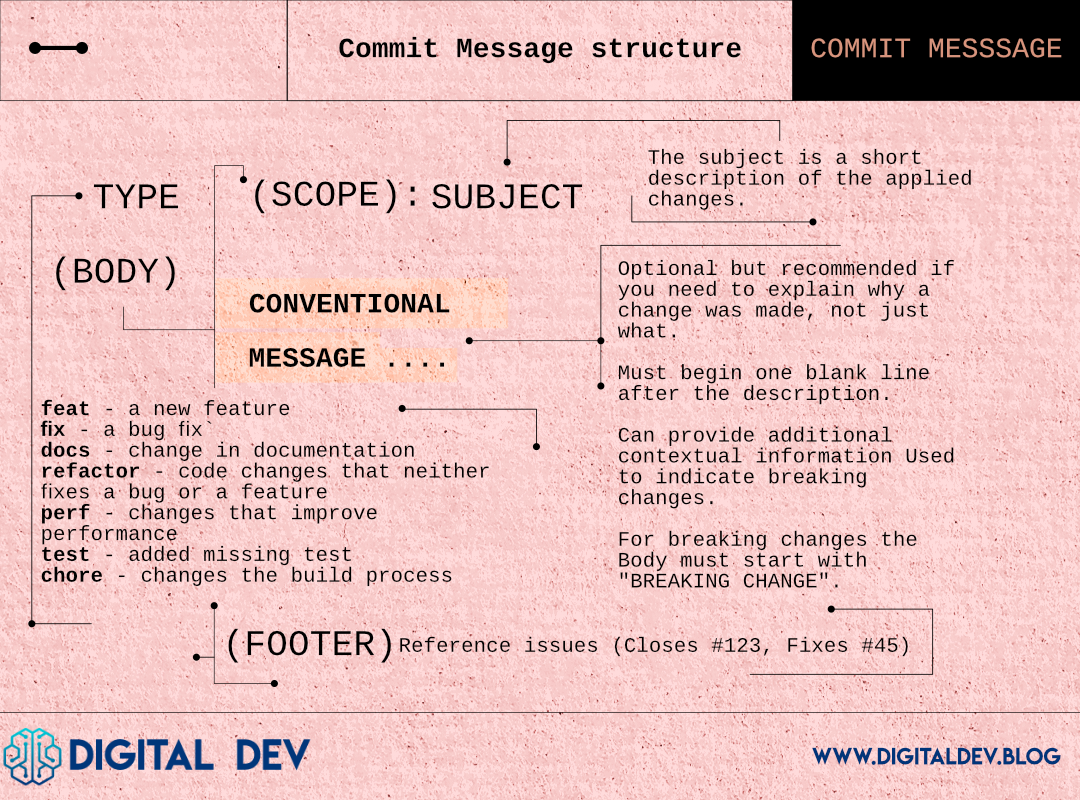
Core Structure of Git Conventional Commit Message
<type>(<scope>): <subject>
<BLANK LINE>
<body> (optional)
<BLANK LINE>
<footer> (optional>
type: Describes the category of the commit (e.g., feat, fix, docs, style, refactor, test, build, ci, perf, chore, revert).
scope (optional): A short identifier for the section or module of the codebase that was changed. Placed inside parentheses immediately after the type.
subject: A brief summary of the changes (preferably no more than ~72 characters). Written in the imperative mood (“change”, “add”, “fix”, not “changed”, “added”, “fixed”).
body (optional): Used for more extensive descriptions of what and why. Explains the changes in detail if needed.
footer (optional): Commonly used to reference issues (e.g., “Closes #123”) or to signal a BREAKING CHANGE.
Common Types
feat: A new feature.
fix: A bug fix.
docs: Documentation changes (e.g., README updates).
style: Changes that don’t affect functionality (whitespace, formatting, etc.).
refactor: Code changes that neither fix a bug nor add a feature.
perf: Changes that improve performance.
test: Adding or correcting tests.
build: Changes that affect the build system or dependencies.
ci: Changes to CI configuration (GitHub Actions, Jenkins, etc.).
chore: Routine task changes (e.g., updating .gitignore, minor cleanup).
revert: Reverts a previous commit.
Examples
With a scope:
feat(auth): add JWT verification for user logintype: feat
scope: auth
subject: add JWT verification for user login
Telling your team you’ve added a feature to the authentication module.
Without a scope:
fix: handle null pointer exception in login flowtype: fix
subject: handle null pointer exception in login flow
With body and footer:
refactor(database): improve connection handling on shutdown This refactor ensures connections are closed gracefully to prevent memory leaks under high-load scenarios. Closes #123type: refactor
scope: database
subject: improve connection handling on shutdown
body: Explanation.
footer: Issue reference.
Breaking change (shown in the footer):
feat(auth): remove deprecated Oauth 1.0 support

BREAKING CHANGE: The commit removes OAuth 1.0. All applications must mirgate to Oauth 2.0 endpoints.
Best Practices
Scope:
Use parentheses for the scope if you want to call out the specific part of the code changed (e.g., (auth), (database)).
Keep it short—one word or small phrase.
Subject:
Keep the subject line short (≤ 72 characters).
Use imperative tense (“add”, “update”, “fix”) rather than “added”, “updating”, “fixed”.
Avoid punctuation at the end of the subject (no period needed).
Body:
Optional but recommended if you need to explain why a change was made, not just what.
Wrap text at around 72 characters for readability.
Footer:
Use for references to issues (Closes #123, Fixes #45) or for large changes that break backward compatibility (BREAKING CHANGE:).
Keep it short and to the point.
When to Use Breaking Change:
If any commit requires users or developers to update their code, environment, or configuration for the software to continue working correctly, it’s a BREAKING CHANGE.
Example: removing a deprecated feature, changing a method signature, or altering a configuration format.
Consistency:
Align with your team’s or project’s guidelines for scopes and how detailed the body should be.
Enforce a commit message style checker (like commitlint) for consistency
Quick Reference Summary
<type>(<scope>): <subject>

<body>

<footer>
Types: feat, fix, docs, style, refactor, perf, test, build, ci, chore, revert.
Scope (optional): Define the part of the code changed (in parentheses).
Subject: Short imperative description (≤ 72 chars).
Body (optional): Longer explanation of changes if necessary.
Footer (optional): References or BREAKING CHANGE notes.
Use this cheat sheet to keep your commit messages consistent, clear, and meaningful!
Comments
Join the discussionNo comments yet. Be the first to comment.